How-tos

How to do it, step by step

For teachers, for parents, and for sitting down with a child. Everything here is in Tuckbox Play now.

For teachers

Setting up, and the school week

To see the class home first, look round the teacher view on the schools page.

Set up your school and your class

About twenty minutes, most of it printing. Nothing to install.

  1. Make a teacher accountAn email and a password, at play.tuckboxgames.com. If your school is already on Tuckbox, ask your school admin for the teacher code and join with it.
  2. Or set up the schoolFind your school in the government's list. Whoever sets it up becomes its admin and gets the teacher code to give to colleagues.
  3. Make a classGive it a name (not a child's), a year group and the subjects: times tables, spelling or both. You get a six-character class code.

Print the key cards

In the class's settings, under what to print.

  1. Open the key cardsOne card for each pupil, eight to a sheet of A4.
  2. Check a cardEach has the class code, a QR code, and that pupil's picture and secret word.
  3. Add names by hand if you likeNames you type against pupil numbers are kept safe for your class only, and show on your class's computers and tablets.

Share tablets in your class

In the class's settings: Class tablets. Do it once on each shared iPad or tablet.

  1. Set your PINFour numbers, in your account or on the Class tablets page. The first time a child uses a tablet, you type it to say it's them.
  2. Make the tablet a class tabletSign in on the tablet, open Class tablets and tap Make this device a class tablet. You're signed out, and it opens on your class's faces.
  3. Each child taps their faceNothing to read. A child who hasn't made their Me yet shows their first letter. No teacher nearby the first time? They can tap their key picture instead.
  4. Next childTap the padlock in the corner, then Next child. Their go is saved, and the faces come back.

Children join the class

On each child's device, at play.tuckboxgames.com, "Join my class".

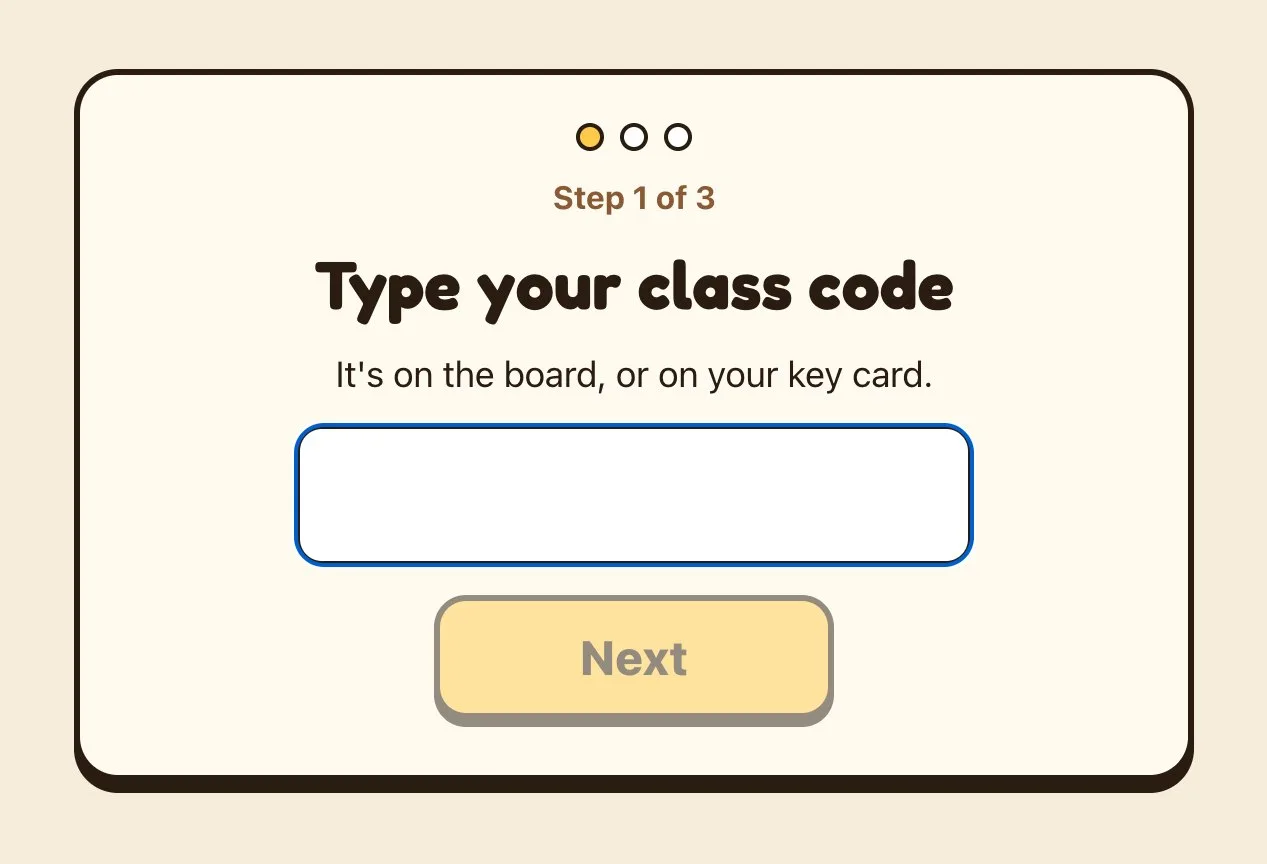
  1. Type the class codeIt's on the key card, or put it on the board. Or scan the card's QR code.
  2. Tap their pictureOne step at a time, with a Back button on every step.
  3. Tap their wordThen they make their Me and their Buddy, and they're in. No email, no password, no name.
A child joins in three steps: type the class code, tap their picture, tap their word.
Joining a class. A child joins in three steps: type the class code, tap their picture, tap their word.

Set work

The Work tab, or Set work for this group on This week.

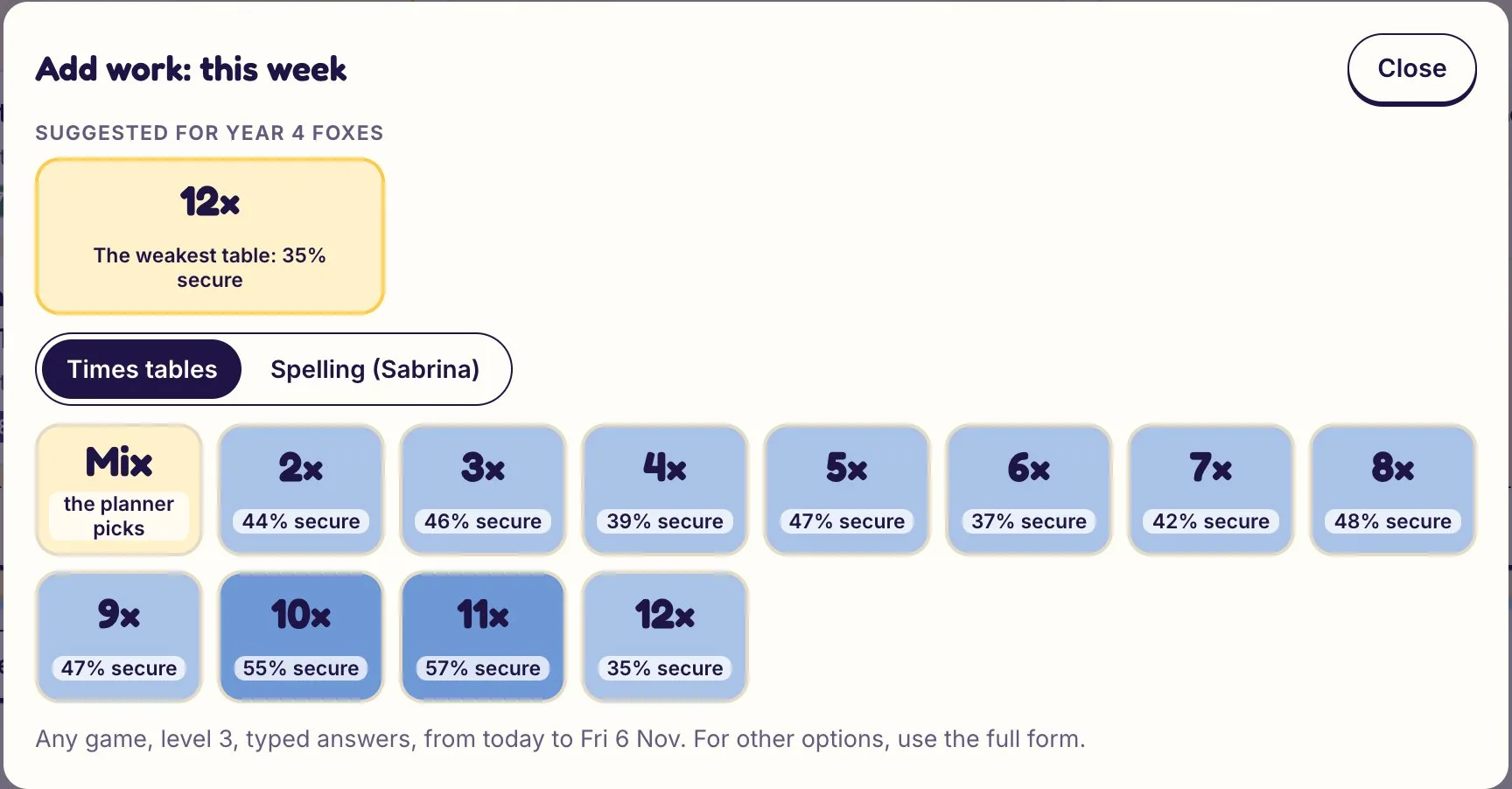
  1. Start from a suggestionSuggested for this week has two to four, each with its reason. Set it in one tap, or Change it first.
  2. Or tap a table or a spelling patternTables are shaded by how much of the class knows them. Then who it's for (the class, a group, one child), what done means, where (school, home or either) and the due day.
  3. It becomes the day's jobEach child finds it on their Today board, from you or whoever hands out the jobs, and it opens the town building that plays it.
Setting work: tap a table or a spelling pattern, and choose this week or next.

Run the lesson live

The Live tab, and Class Live for the board.

  1. Open LiveEach desk shows the child's game, the question on their screen and their last tries, every few seconds. Grey desks aren't connected; a pulsing one has had three wrong in a row.
  2. Tap a desk to look over their shoulderIn words, not video: what they said and how long it took, and the kind of slip. A hand up shows why. Reply in one tap: I'm coming, the hint for their slip, or Well done.
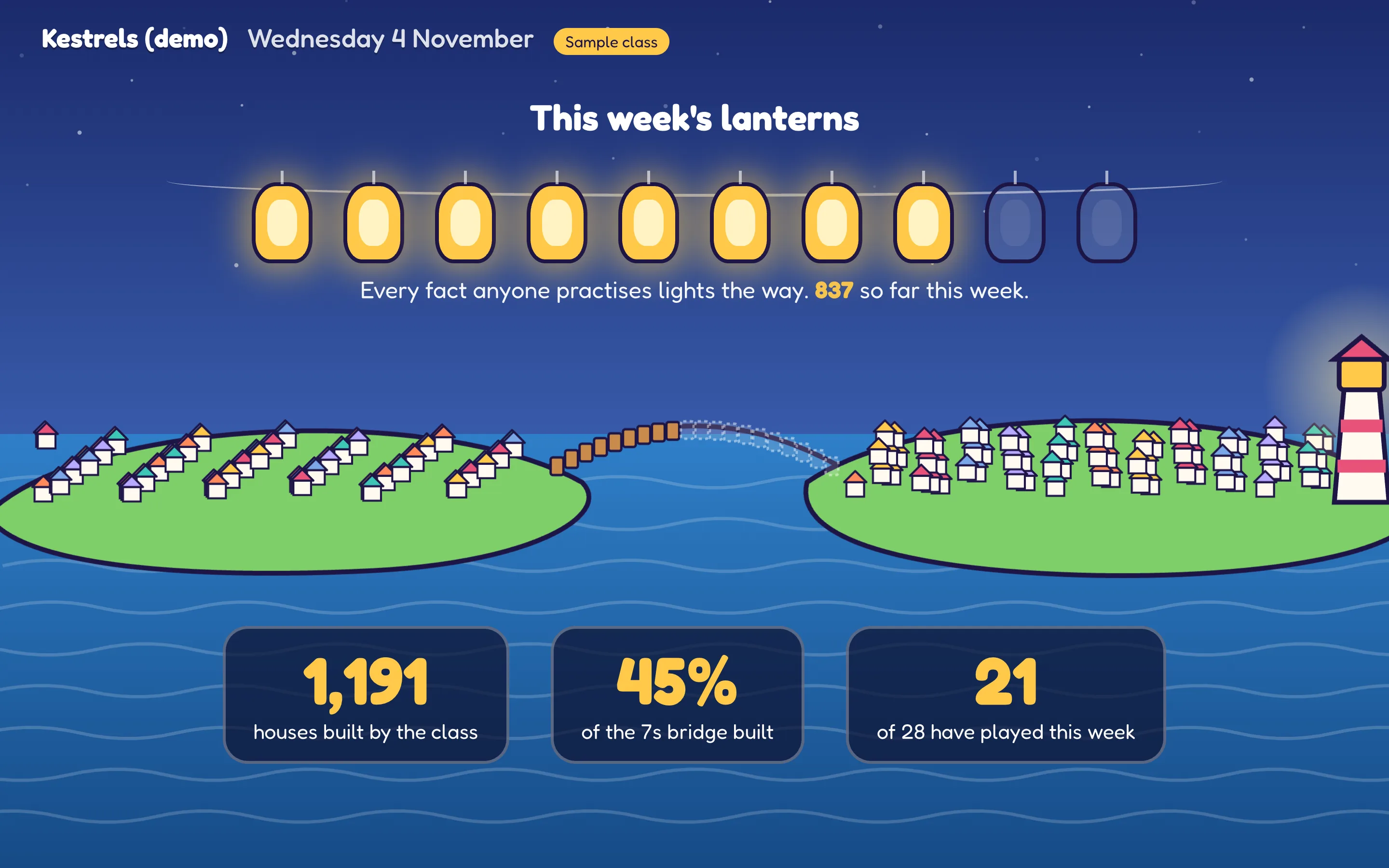
  3. Put Class Live on the boardA lantern lights for every fact the class practises, and the class bridge grows. It shows what the class did together, never who came first.
Class Live on the classroom board: a lantern lights for every fact the class practises, and the class bridge grows. It shows what the class did together, never who came first.
Class Live on the whiteboard. Class Live on the classroom board: a lantern lights for every fact the class practises, and the class bridge grows. It shows what the class did together, never who came first.

Print a homework sheet

Homework sheets, on the class home.

  1. Open Homework sheetsOne page for each child, in pupil order.
  2. Check what's on itThe facts they mixed up, the ones that are fading, and a few more to practise.
  3. Print the lotHand them out, or send them home in book bags.

A child's page for parents' evening

Tap a child on This week, Children, or their desk in Live.

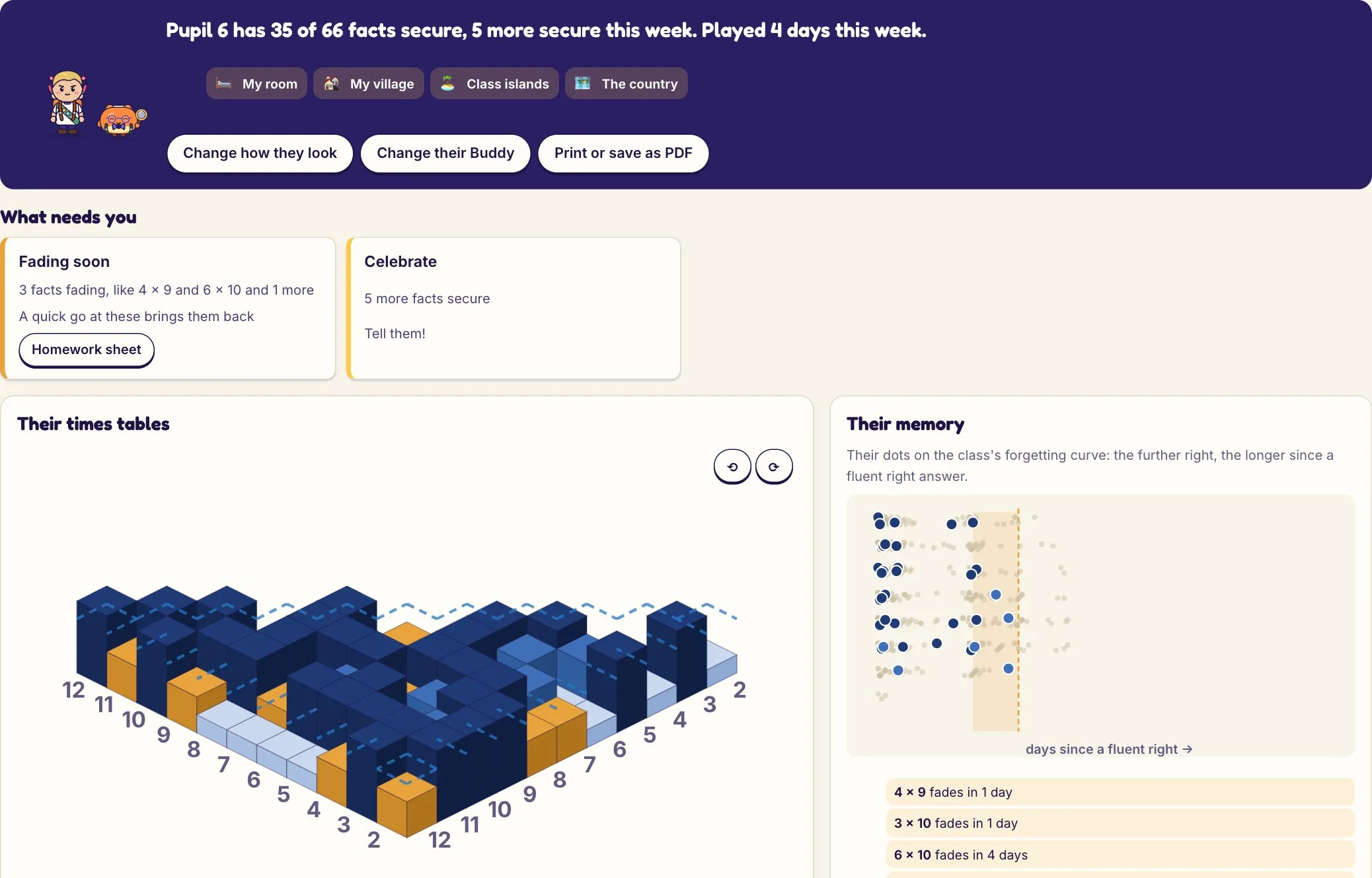
  1. Open the childWhat needs you, their times tables, their memory and their spelling, for this week or last.
  2. Print or save as PDFIt prints as a one-page report to talk through.
One child's page: what needs you, their times tables and their memory. Print it for parents' evening.
A child's page. One child's page: what needs you, their times tables and their memory. Print it for parents' evening.

For parents

A family account

Your child can play without one. An account keeps their learning and their things on our server, puts them on more than one device, and shows you how they're getting on.

Make an account and add your children

  1. Make a family accountAn email and a password, at play.tuckboxgames.com. 14 days free, no card needed.
  2. Add a childA first name or nickname and their school year, which sets where they start. The name stays on your device; our server never has it.
  3. Add the restOne plan covers all the children in your family.

Play on this device

  1. Tap "Play as" with their nameThe box opens for them, ready to play.
  2. Their own tablet or laptop?Sign in to your account there, then tap it again.
  3. If it was someone else'sTuckbox asks first. Signing the other child out keeps their learning safe on Tuckbox.

What to look at

  1. Their cardHow many of the 66 times-table facts they know, how many more this week, their week day by day, and any work set by school.
  2. TogetherOne thing to try with them, like a fact to practise at teatime, or asking to see what they built this week.
  3. Open themTheir times tables, which facts are fading and when, and their spelling.

Your family's week

  1. The top lineWho played, and how long at home and at school. Last week, this week or next week, top right.
  2. Needs youA hand up at home comes to you, not the teacher: sit with them, then tap "We sorted it". Below it, school work due soon, something tricky, or something to celebrate.
  3. Each childTheir week day by day (orange at home, blue at school), what school set and how far they are, and one thing to do together.

Link your child from school

  1. Find the codeOn the back of their key card from school, or scan its QR code. Ask the class teacher if it's gone missing.
  2. Check it's themYou see their picture and word, their class and school. Tick "This is my child".
  3. Added them at home already?Join them into one: what they did at home comes too, and their tablet plays as their school self.

Make a family account

With your child

Their world, and how it grows

Worth five minutes together the first time. After that, their Buddy explains things as they go.

How the road works

Under-8s walk the same road in a paper world, with pictures and speech in place of most words.

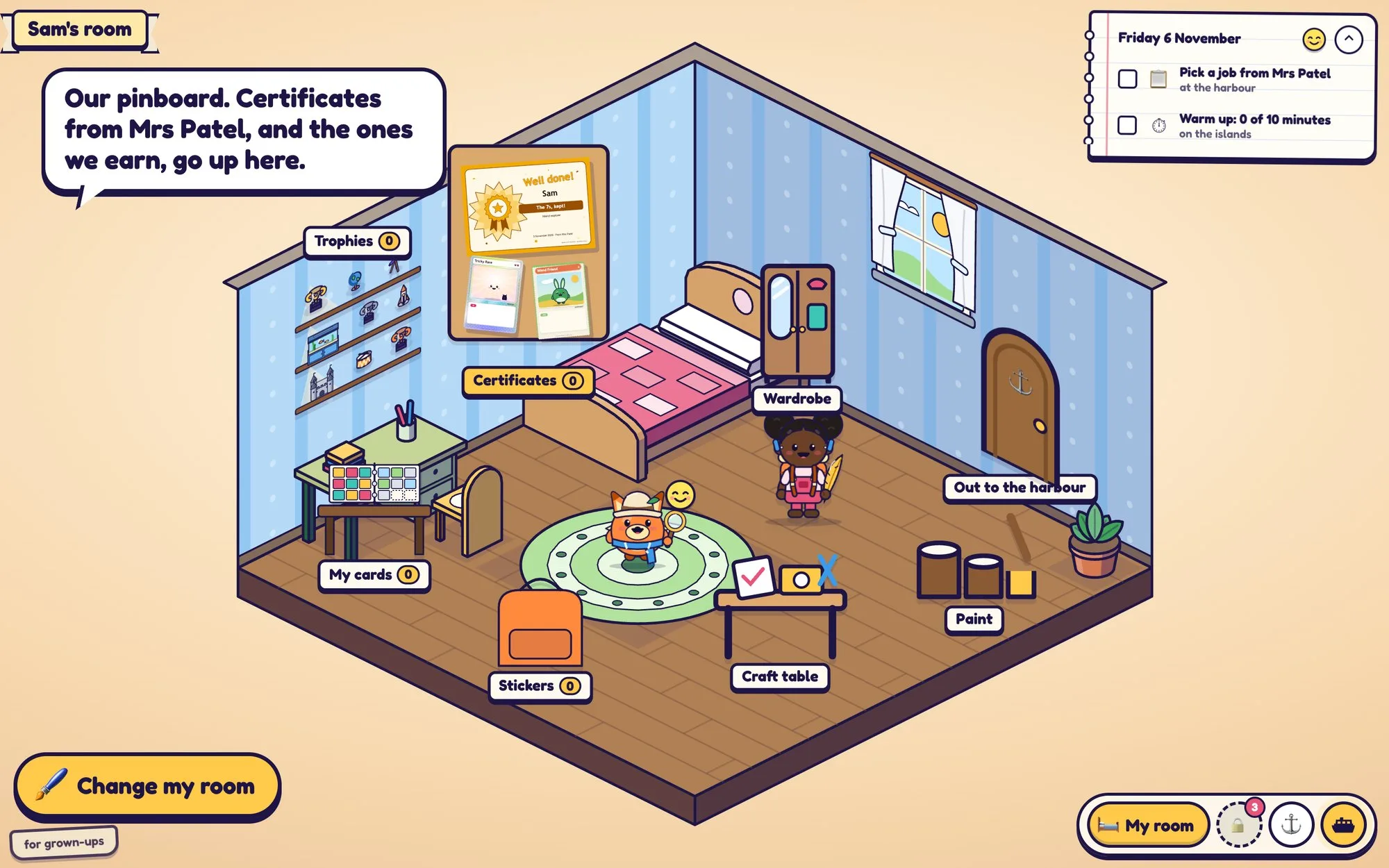
  1. My roomHome: the binder, the pinboard, the trophy shelf, the wardrobe, the craft table and the paints.
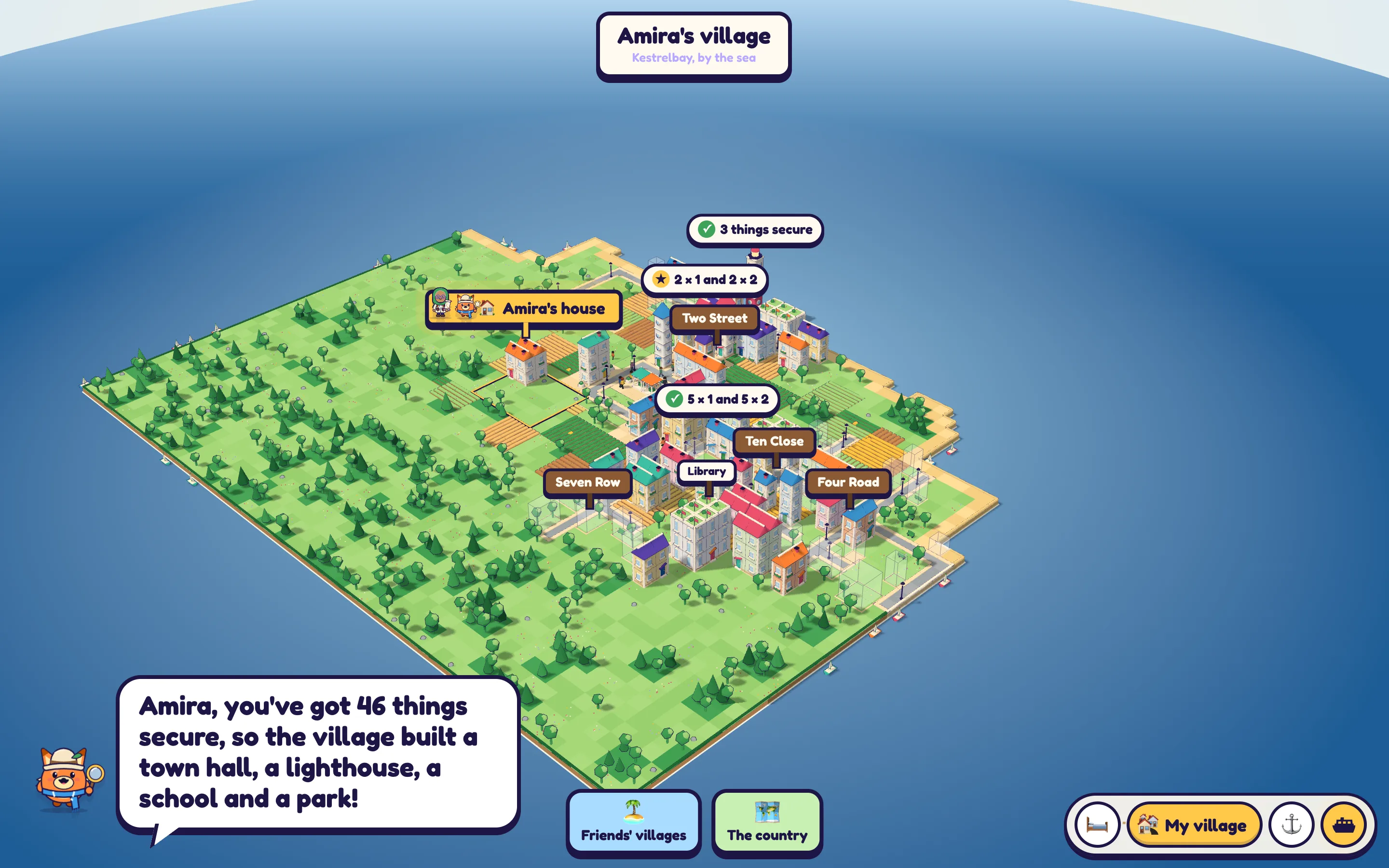
  2. My townA village for under-8s, Box Town in Reception. Grown from what they've learned, with every game as a building: the hospital, the racetrack, the Woods, the Castle, the Schoolhouse and more. Their own house stands on its own plot.
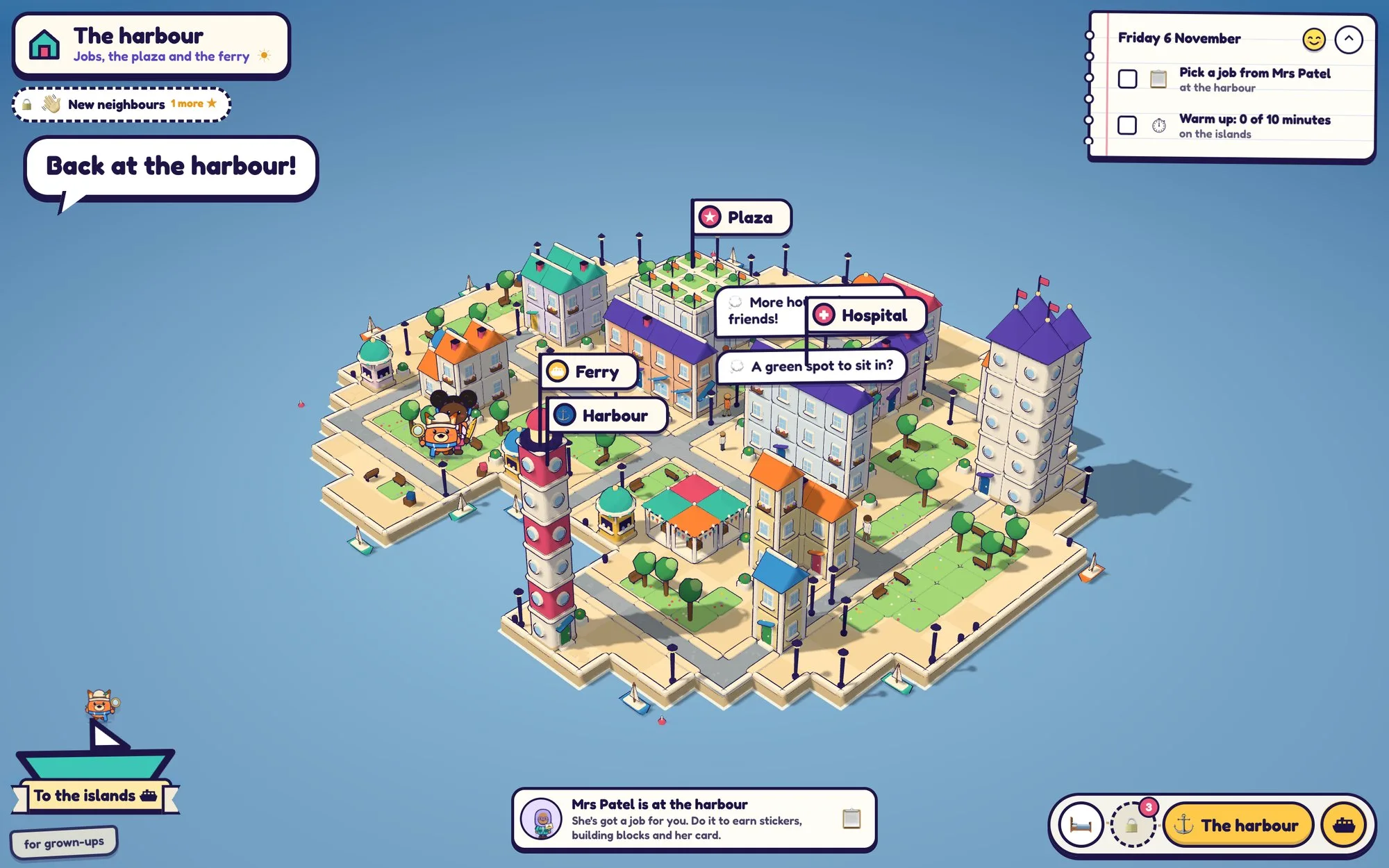
  3. Today's jobWhoever hands out the jobs has today's job: the class's teacher, Mrs Patel or the Helper. The Today board says what's left to do, and opens the building that plays it.
  4. BackBack from a game goes to the town, and from the town to their room. Two places, so nobody gets lost.
The harbour, with Mrs Patel's job and the day's list on the Today board, and the boat to the islands.

Looking after your Buddy

  1. Tap the Buddy in the cornerIts face rides along in the corner of every place. One tap goes to its den.
  2. Four things in the denThe bowl, the ball, the tub and the bed. To feed it, answer a question and cook it a snack; playing, washing and sleep are free.
  3. Watch its faceIt shows how your Buddy feels. The worst it gets is a bit peckish, and it's happy again as soon as you're back.
A child's room, with their Buddy in it. Tap the Buddy to look after it.
Their room. A child's room, with their Buddy in it. Tap the Buddy to look after it.

How your village grows

  1. Make a fact secureGet it right first time, three times in a row, quickly, and a house goes up. Each times table is a street.
  2. Master itFluent on three different days over a week or more, and the house grows a storey.
  3. Spell wordsSpelling builds the Word Quarter.
  4. Nothing falls downA fact left for three weeks slips to Nearly there and comes back in their practice, but its house stays standing.
A village grown from what Amira has learned: each times table is a street, and new houses say why they arrived.
My Town. A village grown from what Amira has learned: each times table is a street, and new houses say why they arrived.

Every place, in a line or two

The same words your child's Buddy uses. Under-8s hear them spoken, with pictures.

My room
Your room is home. The binder, pinboard and trophy shelf hold what you've won.
My Buddy's den
Four things in the den: the bowl, the ball, the tub and the bed. Each has hearts that never run out.
The wardrobe
Tap you or your Buddy, then a tile to put it on. Tap it again to take it off.
The card binder
Every card you can win, nine to a page. Coloured tabs: Times Tables, Spelling, Quests, Lands, Made by me, Class, Badges.
The pinboard
Certificates you earned, ones your teacher sent and ones you made, all pinned up.
The paint shop
Paint your box and the world: box paint, lid paint, pattern, stickers, weather.
My backpack
Today's job is in the pocket, with every sticker you've won today.
My village
Your town grows from what you know: every times table is a street, and a fact you know puts up a house. Spelling builds the Word Quarter.
The Schoolhouse
Short lessons: why the 9s are easy, turn it round, double double double.
The plaza
Where your class meets. It opens when you're in a class.
The check room
Practice for the Year 4 times tables check: 25 questions, tables 2 to 12.
Coming next

What we're building next

Designed, not live yet. We'll say here when each one arrives.

  • Linking a family account to school. A parent's account and the child's school account joined up, so home and school see the same child. Coming